Hướng dẫn các bước thực hiện đưa môt website lên Java Hosting
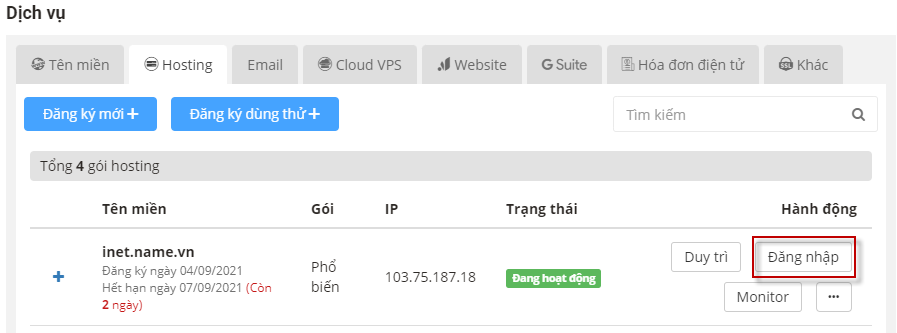
- Đăng nhập vào Java Hosting trên trang quản lý https://iNET.vn
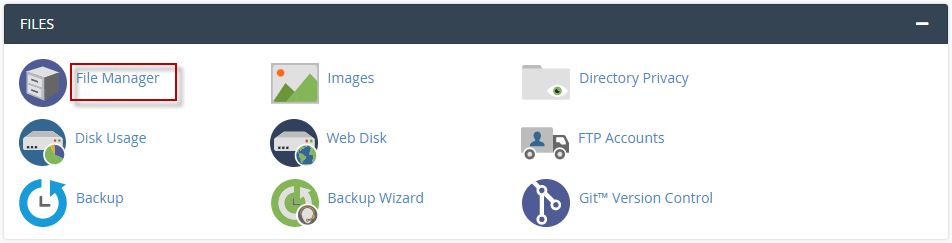
- Truy cập vào File Manager để upload file war của Java lên hosting:
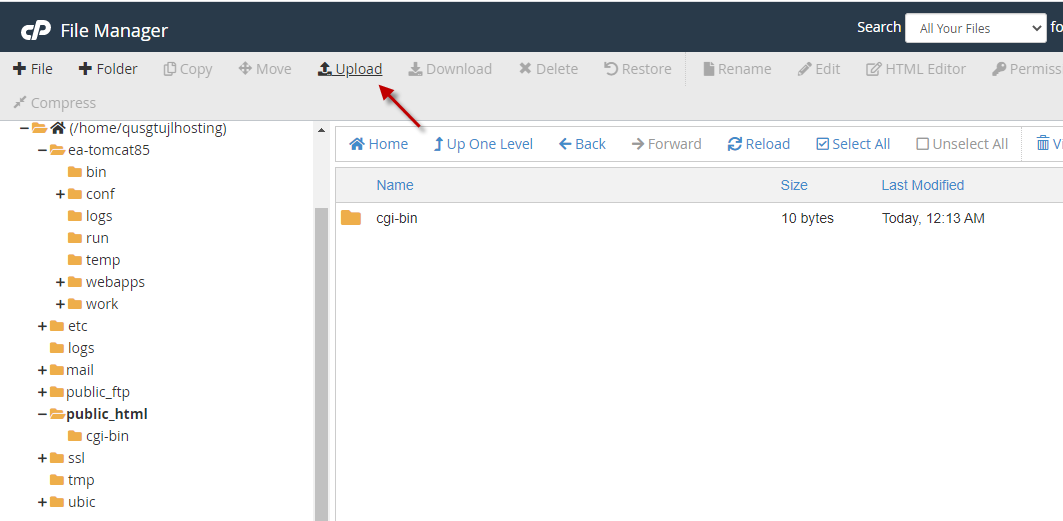
- Upload file war lên thư mục public_html. Cấu hình định nghĩ Document Root nằm trong đường dẫn /home/username/ea-tomcat85/conf/server.xml
<Host name="localhost" appBase="webapps" unpackWARs="true" autoDeploy="false" deployOnStartup="true" deployXML="false">
<Context path="" docBase="/home/username/public_html" reloadable="true">
</Context>
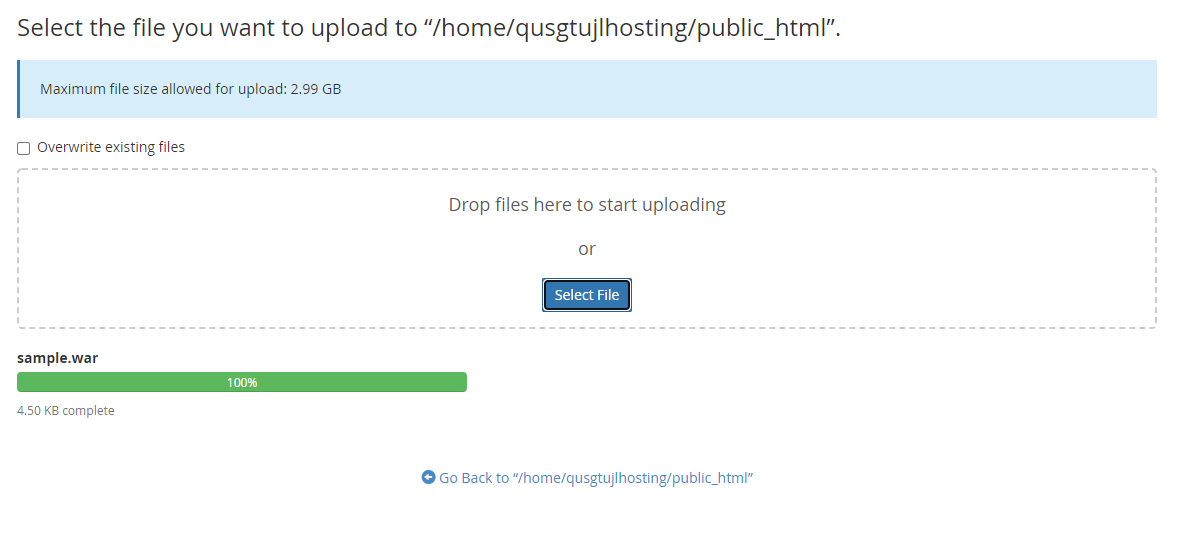
- Quá trình upload thành công:
- Rename file .war thành file .zip
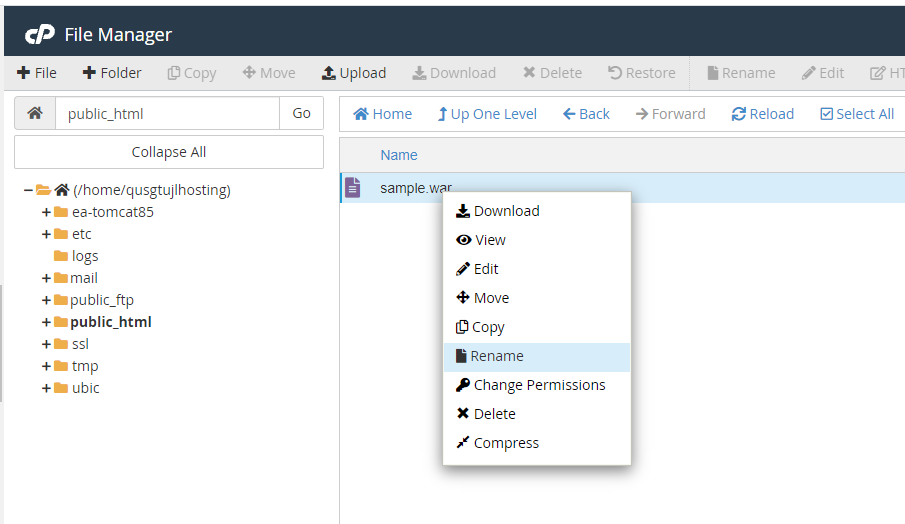
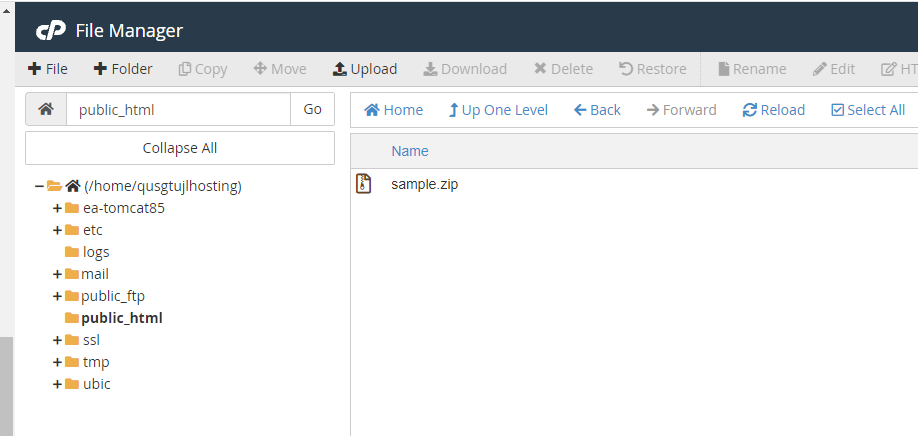
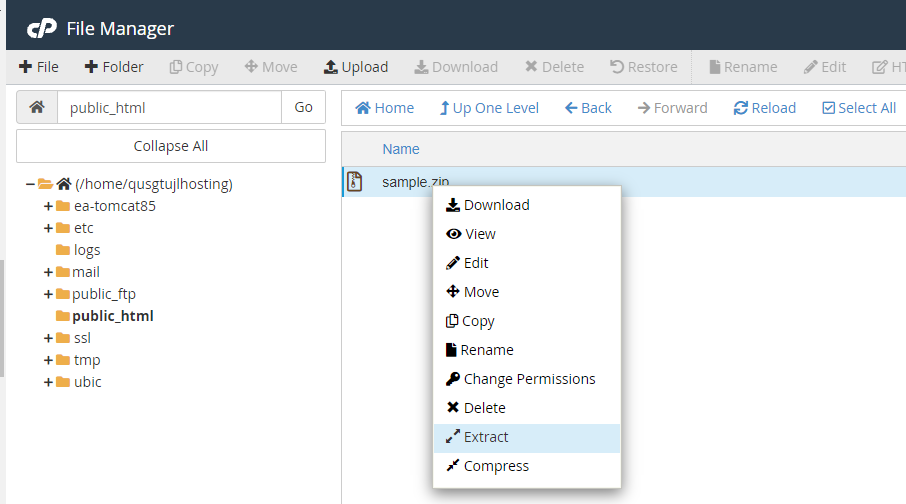
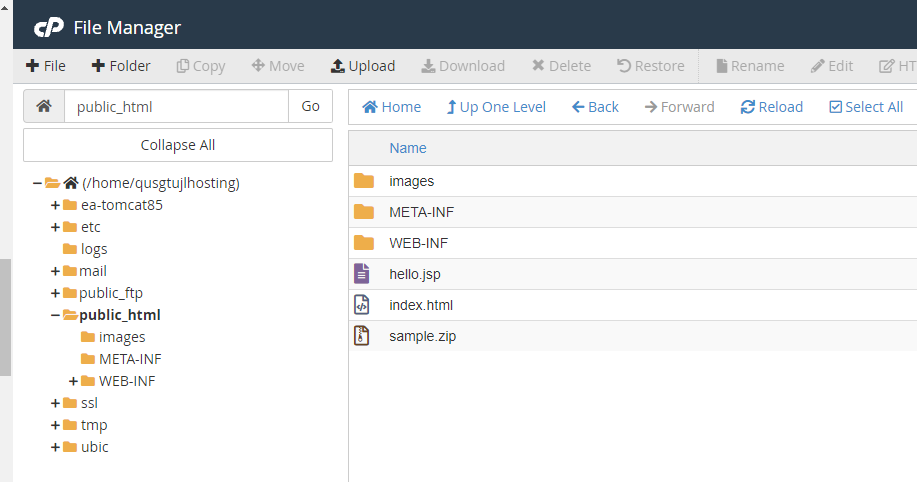
- Giải nén file .zip vừa upload lên hosting:
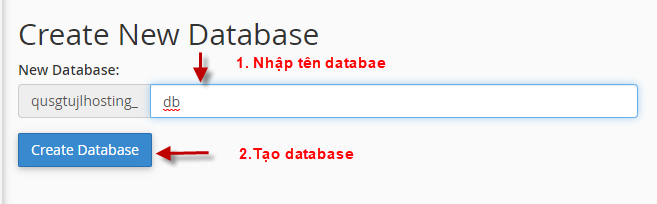
- Khởi tạo database

- Tạo database:
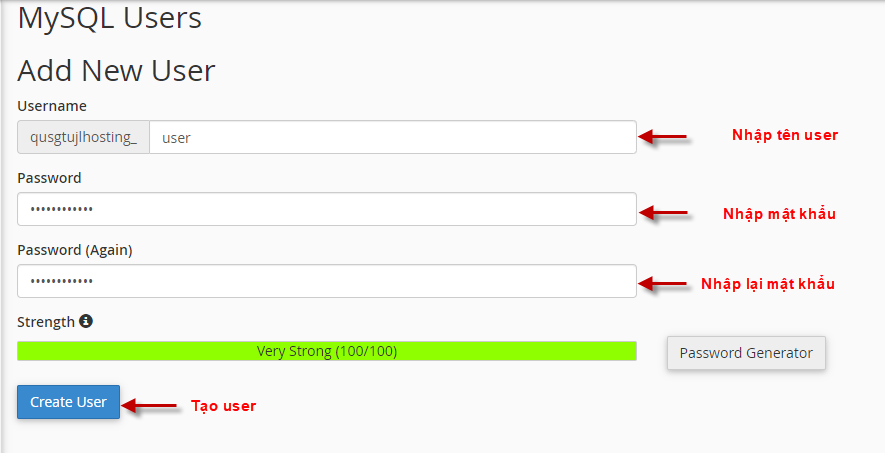
- Tạo User Database:
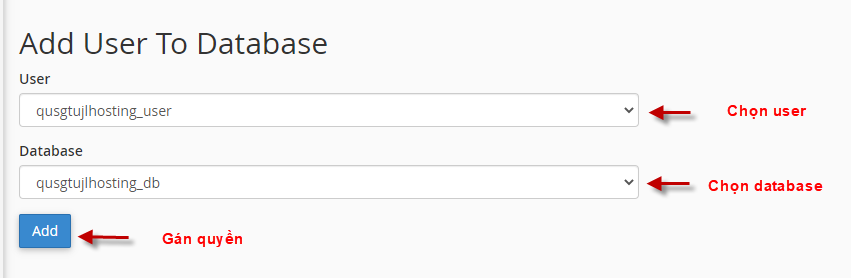
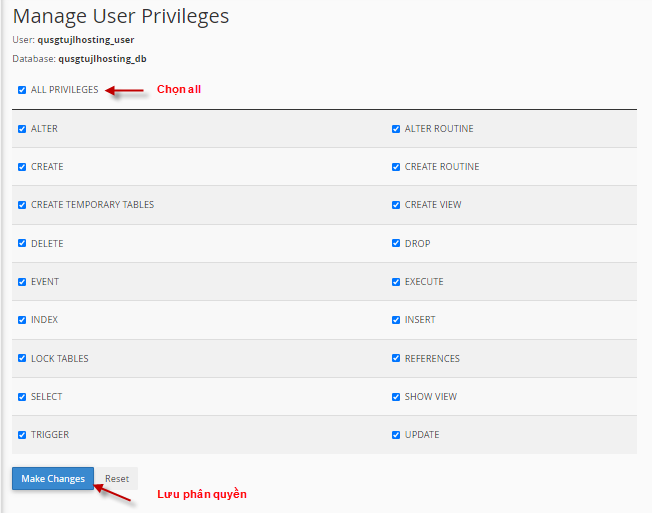
- Phân quyền kết nối user vào database:
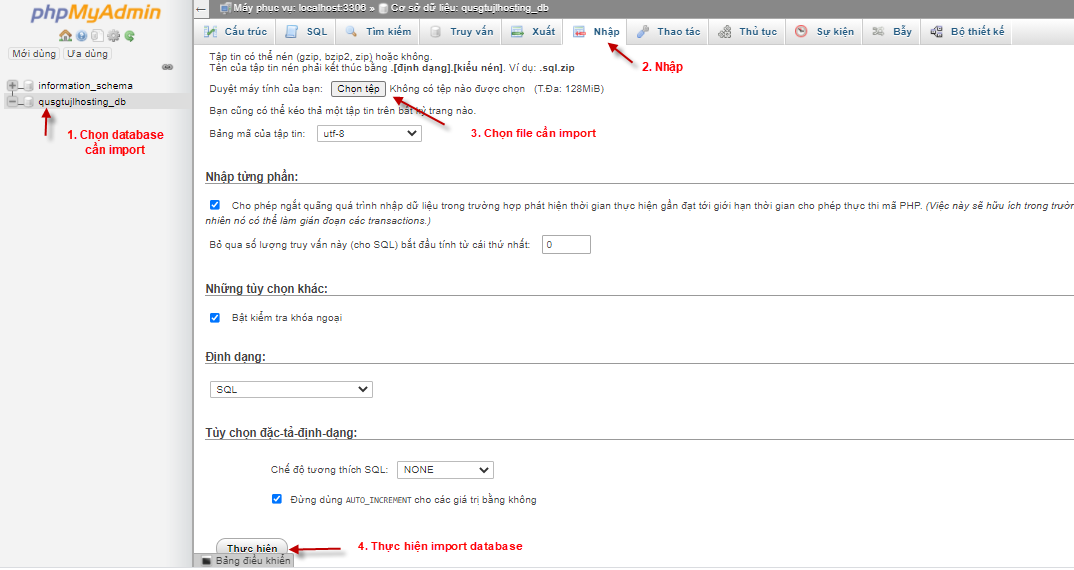
- Import Database lên Hosting:

- Restart lại Apache Tomcat:
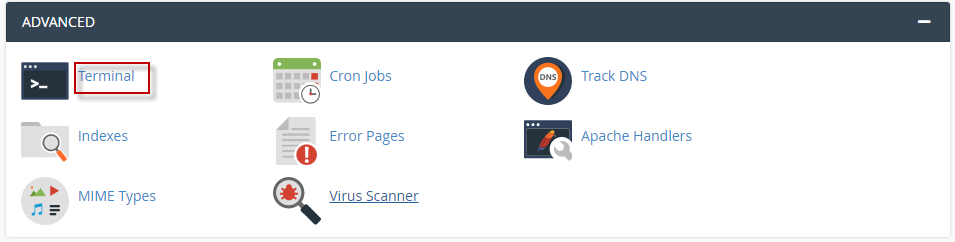
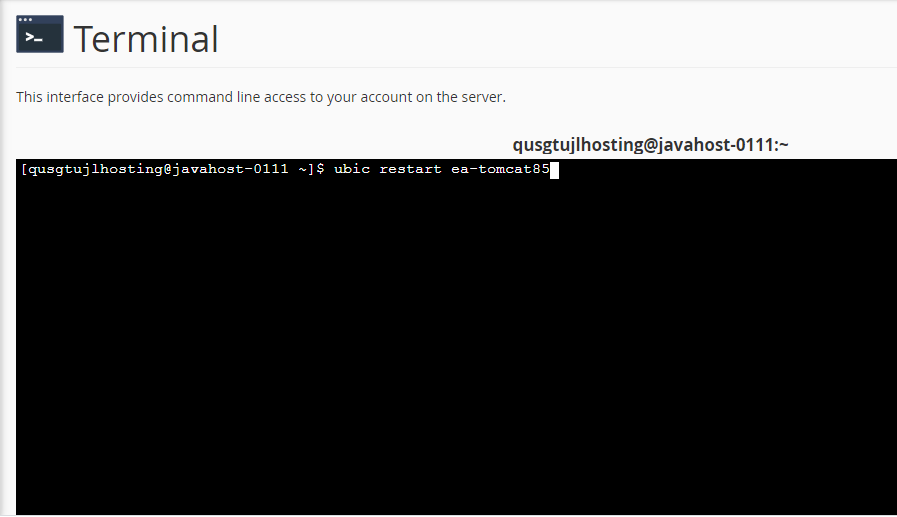
- Chạy lệnh: ubic restart ea-tomcat85
Chúc các bạn thực hiện thành công!